Raspberry Pi Zero W
I have a Raspberry Pi Zero W, and here’s a breakdown of system choices.
The Raspberry Pi Zero W uses:
CPU: BCM2835 Architecture: ARM1176JZF-S (ARMv6)
Therefore:
- ARMv6 does not support 64-bit instruction sets.
- So, 64-bit systems are essentially a “hard emulation/compatibility layer.”
The result is:
- A 64-bit OS has no true native acceleration.
- Instead, it adds an extra layer of compatibility overhead.
Use Cases
If the Zero W is to be used for:
- Pi-hole
- FRP for NAT traversal
- WireGuard
- Lightweight download machine
- IoT control
The only reasonable combination: Raspberry Pi OS Lite 32-bit
Summary Table
| System | Can Zero W Use It? | Recommendation Level |
|---|---|---|
| Raspberry Pi OS 32-bit | ✅ Best Fit | ⭐⭐⭐⭐⭐ |
| Raspberry Pi OS 64-bit | ❌ Not Supported | ❌ |
| Legacy 32-bit | ✅ Yes (Older) | ⭐⭐⭐⭐ |
| Legacy 64-bit | ❌ Not Supported | ❌ |
| Raspberry Pi Desktop | ❌ x86 Only | ❌ |
Zero W Best Choice: Raspberry Pi OS (32-bit)
By the way, with around 500MB of RAM, don’t even consider the desktop version. Although optimized, the user experience definitely won’t be good.
It’s recommended to directly use Raspberry Pi OS (32-bit) server. I personally chose it, and after installing the system, only about 230MB of RAM remains.
I can only choose open-source applications developed in Go or Rust, such as Caddy, which typically occupy only 10-30MB of RAM. To run several applications, I must carefully select Go applications that use around 10MB of memory.
Official Downloads
Official website download address: raspberrypi software
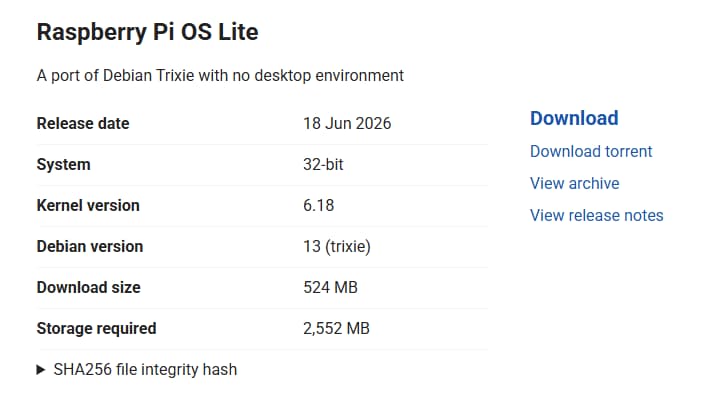
If you have network issues and downloads are slow, you can also download from cloud drives:
Quark Cloud Drive - Raspberry Pi System
Baidu Cloud Drive - Raspberry Pi System
Note here, in addition to the official Raspberry Pi OS, I also recommend Armbian.
However, I checked the official site, and it only supports Raspberry Pi Zero 2 W, with no image for the Zero W. Therefore, for the Zero W, it’s recommended to only use the official Raspberry Pi OS (32-bit) server.
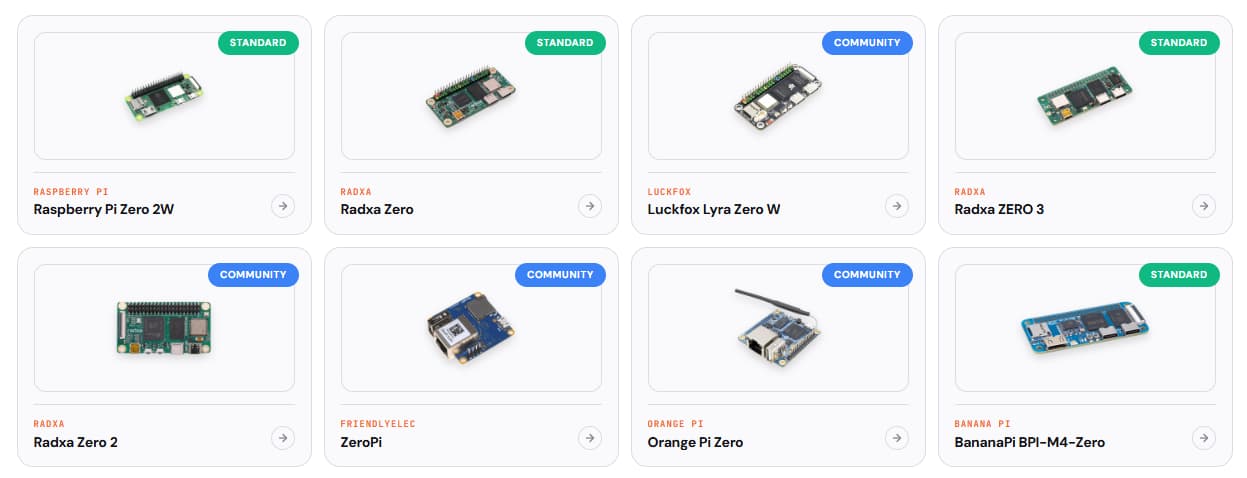
Raspberry Pi prices have increased recently. Once prices drop, I’ll consider buying a Raspberry Pi Zero 2 W. It’s similar in price to the Zero W but offers almost 2 to 4 times the performance.