
Data Analysis
I need my Astro.js blog to have a backend management similar to WordPress.
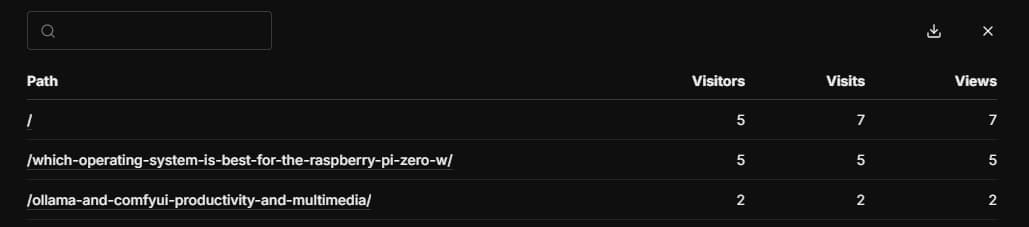
It should have a table to view the total visit data for current articles.
It should allow filtering by date or keywords.
Umami Operations
Although Umami doesn’t have a complete table management interface, it can still achieve similar data viewing.
I haven’t researched it thoroughly and haven’t found the corresponding viewing method, so I’ll briefly record it now.
Go to the website’s overview page, which is the main data page, and in the “Pages” module, click “More”.
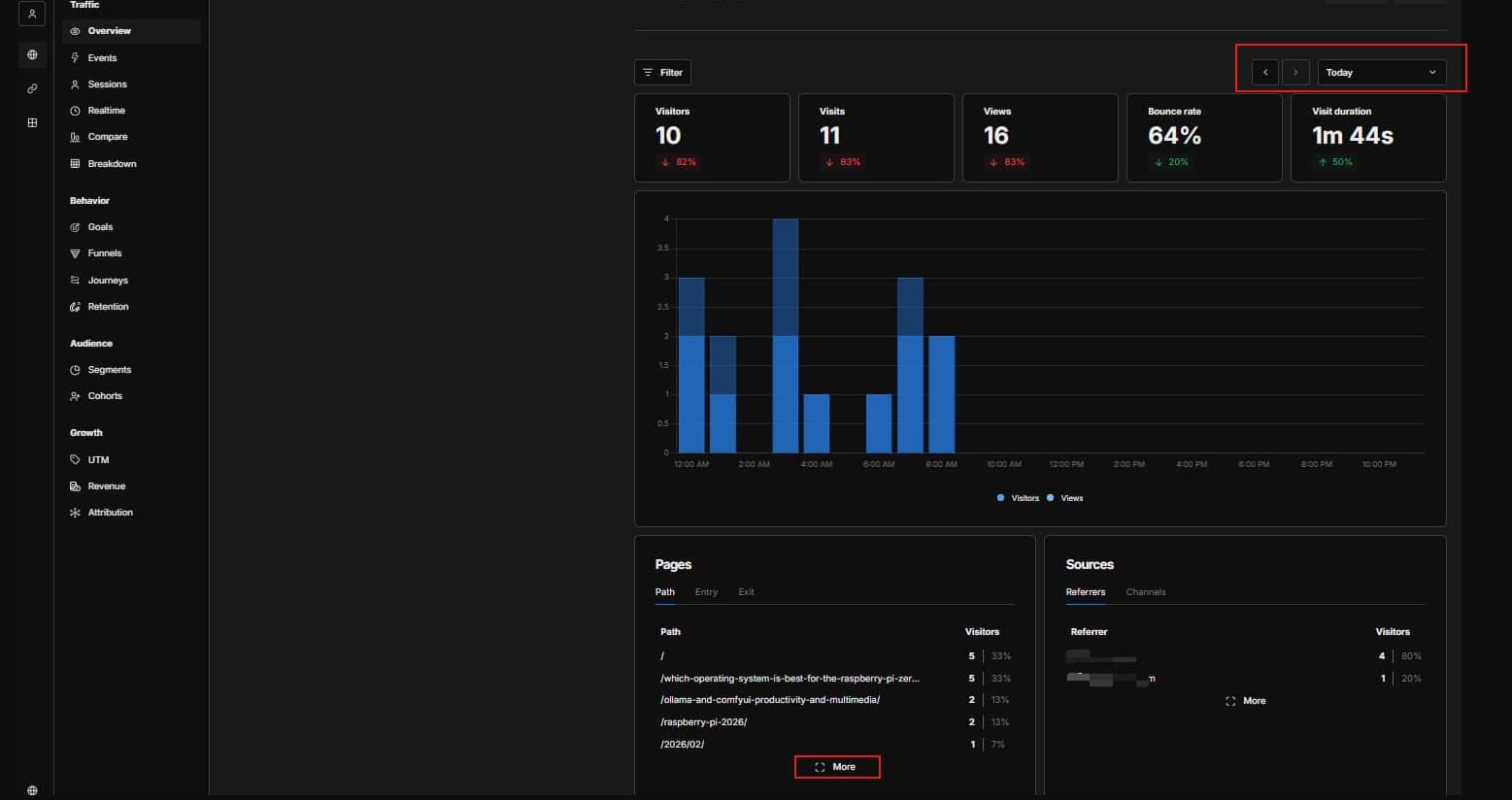
The red area that pops up shows the visit statistics for articles within the currently selected time period.
If you need to switch the time period, you have to go back to the previous homepage overview, change the time period option in the top right corner, and then re-click “More” for the corresponding data.
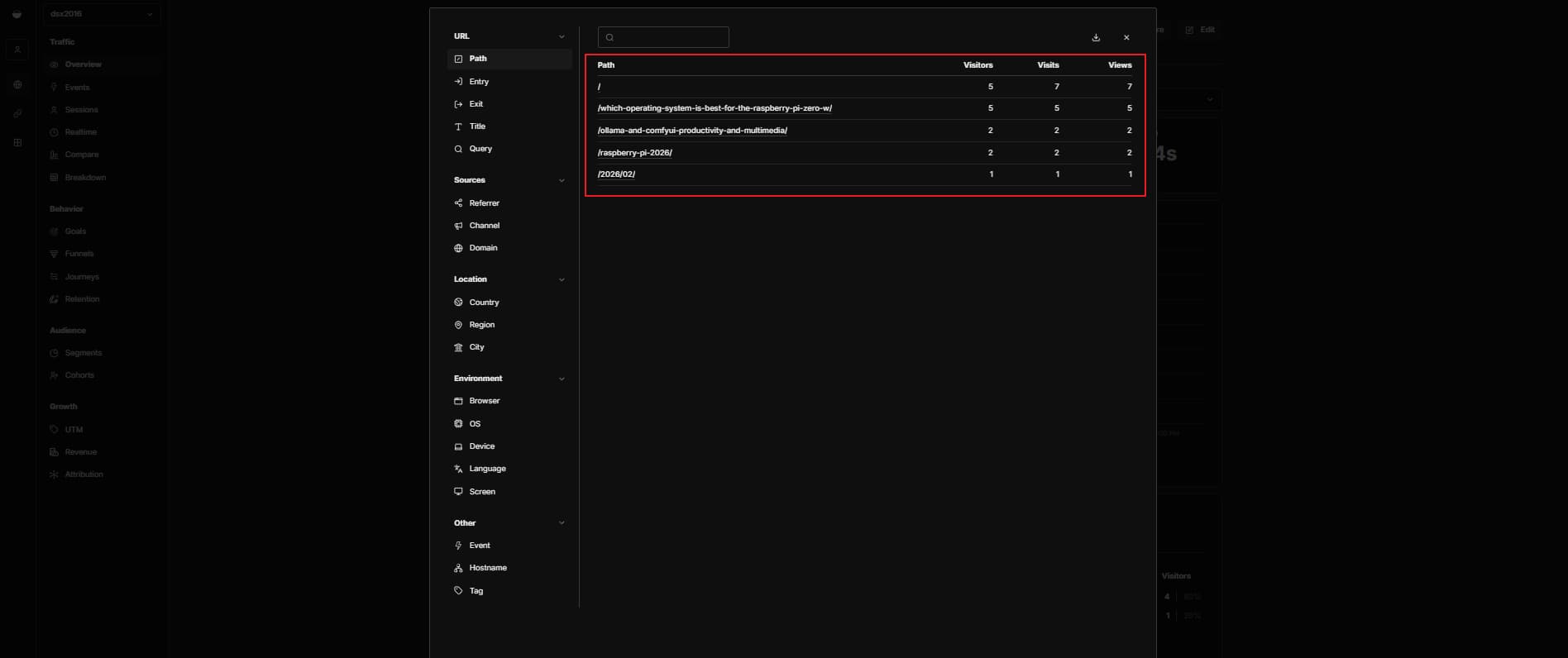
Although it’s a bit simple, you can still see the actual visit count for specific blog posts within a certain time period.
Of course, you can also click other menu options within “More” to view other data for the current time range, such as traffic sources, device statistics, etc.
Other Content
Currently, I primarily use Umami’s website overview to check general website data.
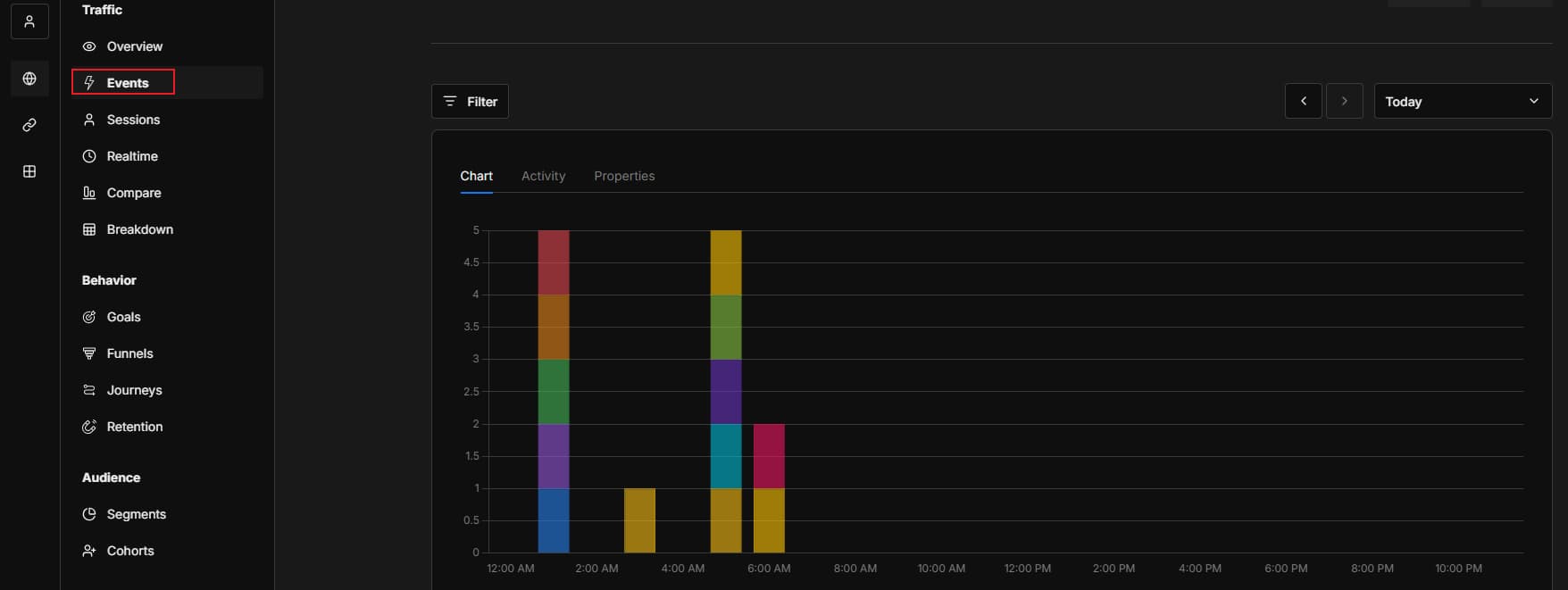
I also use Umami’s individual tags to track click events for specific buttons.
This event requires adding attributes to HTML elements or using JavaScript.
That’s all for my current use of Umami.