ComfyUI-Manager
GitHub Repository: ComfyUI-Manager
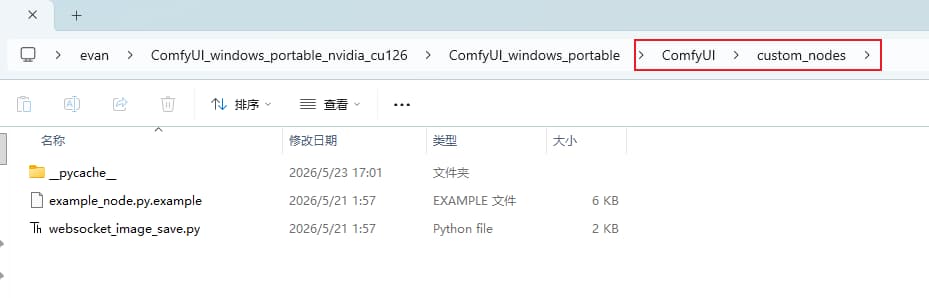
Open the directory ComfyUI\custom_nodes.
Open Git Bash within this directory and enter the command: git clone https://github.com/Comfy-Org/ComfyUI-Manager.git
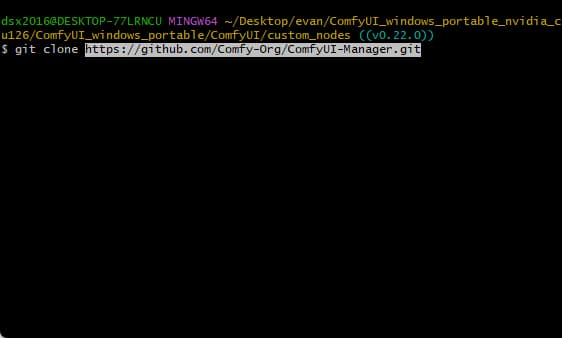
Once executed, ComfyUI-Manager will be successfully downloaded into the folder.
Opening the Workflow
Click run_nvidia_gpu.bat again to launch the application.
Workflow File: ltx-23-all-in-one-20260507.json
Drag and drop the LTX2.3.json workflow file onto any blank area of the web interface; the workflow will load automatically.
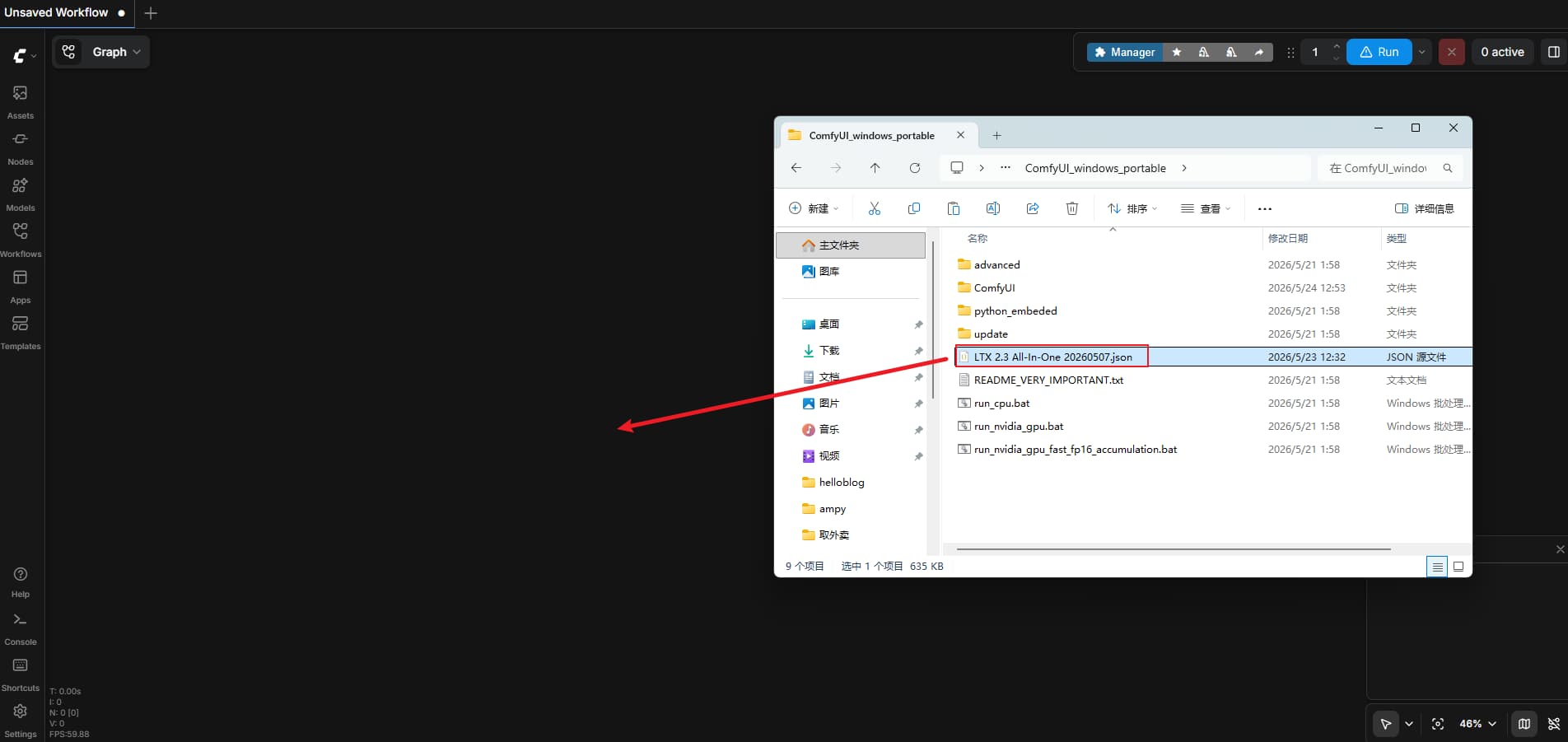
You will likely see a series of red error messages displayed within the workflow.
Click the button in the top-right corner. Management
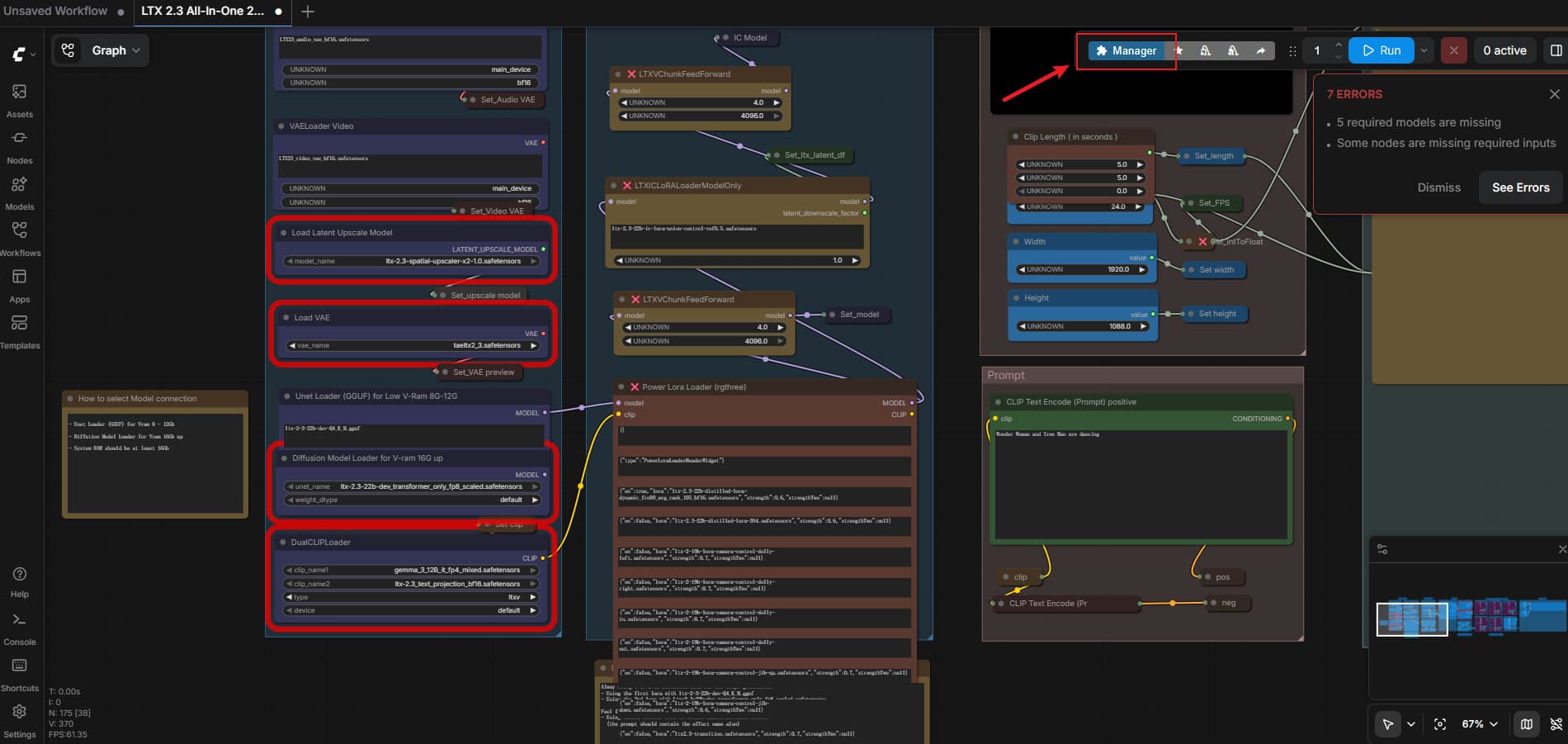
Click within the red box.
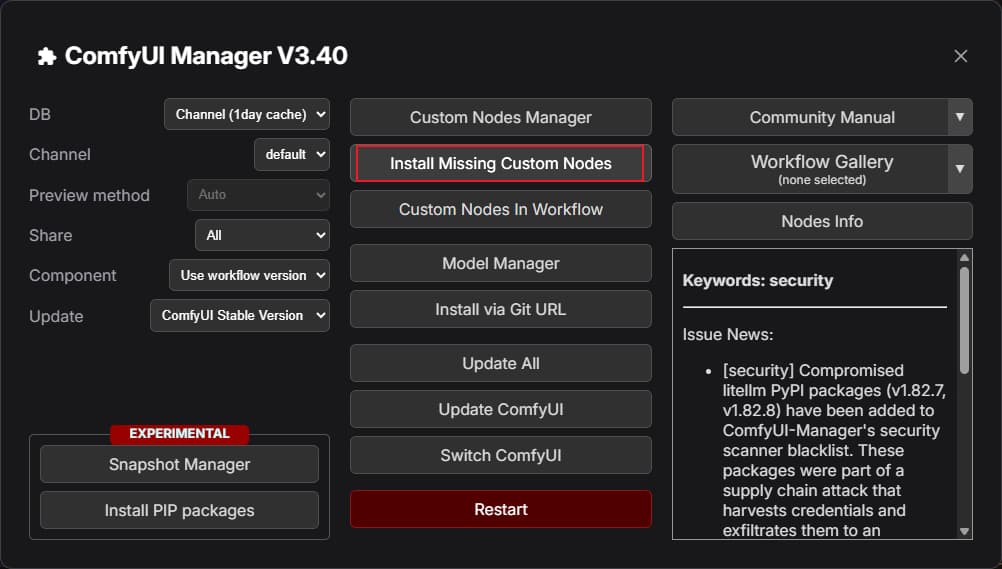
Install Missing Nodes
Select all items, then click “Install.”
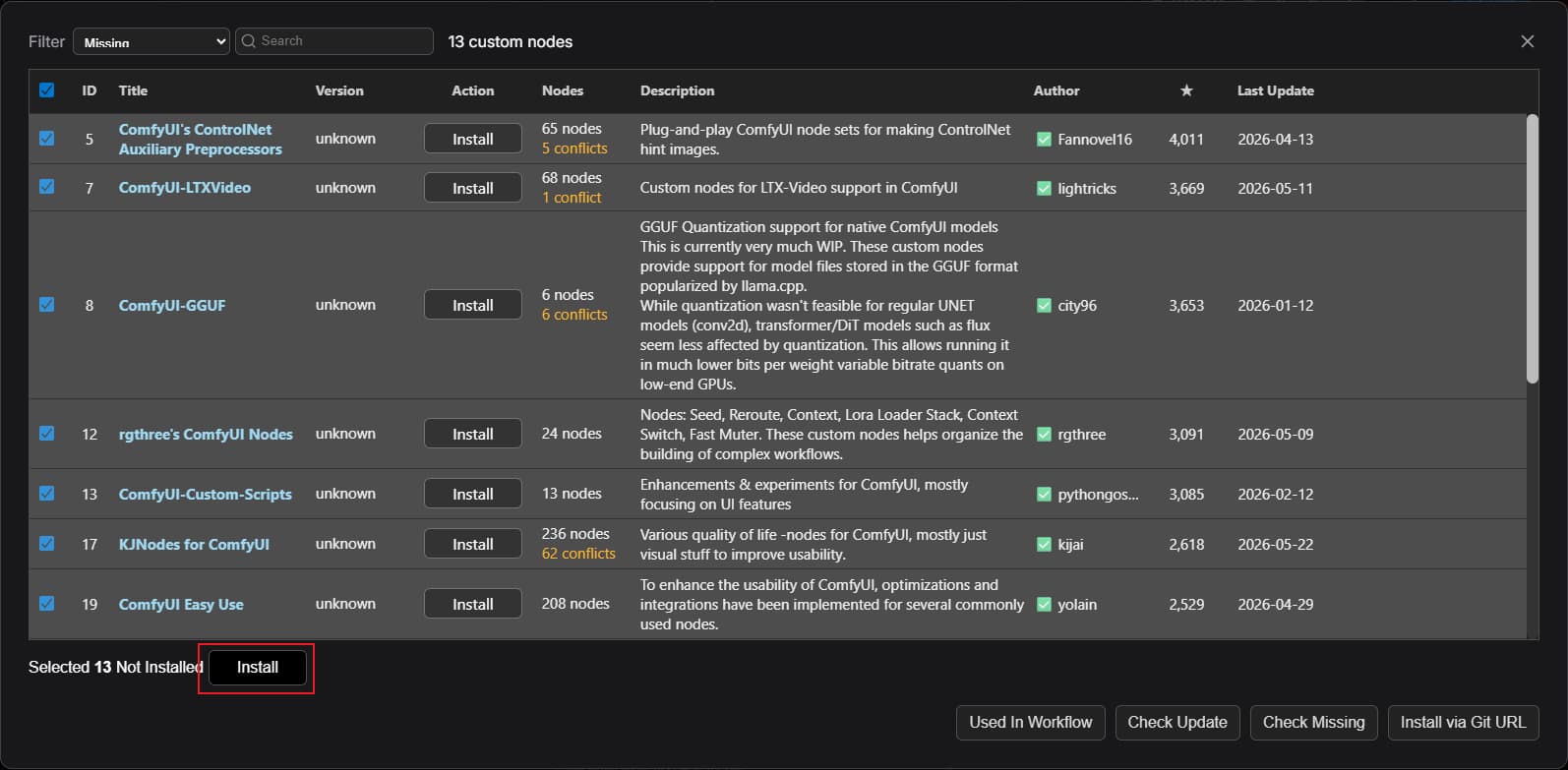
Once the installation is complete, close the terminal and restart the project.
Click run_nvidia_gpu.bat again to restart.
Download Models
Download the corresponding large models and place them in the appropriate folders.
/ComfyUI/models/diffusion_models
├── ltx-2-3-22b-dev-Q4_K_M.gguf
├── ltx-2.3-22b-dev_transformer_only_fp8_scaled.safetensors
/ComfyUI/models/text_encoders
├── gemma_3_12B_it_fp4_mixed.safetensors
├── ltx-2.3_text_projection_bf16.safetensors
/ComfyUI/models/latent_upscale_models
├── ltx-2.3-spatial-upscaler-x2-1.0.safetensors
/ComfyUI/models/vae
├── LTX23_audio_vae_bf16.safetensors
├── LTX23_video_vae_bf16.safetensors
/ComfyUI/models/loras
├── ltx-2-19b-distilled-lora_resized_dynamic_fro09_avg_rank_175_fp8.safetensors
├── ltx-2-19b-ic-lora-canny-control.safetensors
├── ltx-2-19b-ic-lora-depth-control.safetensors
├── ltx-2-19b-ic-lora-detailer.safetensors
├── ltx-2-19b-ic-lora-pose-control.safetensors
├── ltx-2-19b-lora-camera-control-dolly-in.safetensors
├── ltx-2-19b-lora-camera-control-dolly-left.safetensors
├── ltx-2-19b-lora-camera-control-dolly-out.safetensors
├── ltx-2-19b-lora-camera-control-dolly-right.safetensors
├── ltx-2-19b-lora-camera-control-jib-down.safetensors
├── ltx-2-19b-lora-camera-control-jib-up.safetensors
├── ltx-2-19b-lora-camera-control-static.safetensors
├── ltx-2.3-22b-distilled-lora-dynamic_fro09_avg_rank_105_bf16.safetensors
├── ltx-2.3-22b-ic-lora-union-control-ref0.5.safetensors
├── ltx2.3-transition.safetensors
github: rola
LTX-2.3-22b-IC-LoRA-Union-Control- DownloadLTX-2.3-22b-IC-LoRA-Motion-Track-Control- DownloadLTX-2-19b-IC-LoRA-Detailer- DownloadLTX-2-19b-IC-LoRA-Pose-Control- DownloadLTX-2-19b-LoRA-Camera-Control-Dolly-In- DownloadLTX-2-19b-LoRA-Camera-Control-Dolly-Left- DownloadLTX-2-19b-LoRA-Camera-Control-Dolly-Out- DownloadLTX-2-19b-LoRA-Camera-Control-Dolly-Right- DownloadLTX-2-19b-LoRA-Camera-Control-Jib-Down- DownloadLTX-2-19b-LoRA-Camera-Control-Jib-Up- DownloadLTX-2-19b-LoRA-Camera-Control-Static- DownloadLTX-2.3-22b-IC-LoRA-HDR- HDR IC-LoRA and pre-computed text embeddings forHDRICLoraPipelineLTX-2.3-22b-IC-LoRA-LipDub- Download
Once the download is complete, it is also recommended that you restart the project.
Updating ComfyUI
If you still encounter errors or other issues after restarting:
We recommend trying to update ComfyUI to ensure that an outdated version does not cause further complications.
Click on update_comfyui located within the ComfyUI_windows_portable\update directory.
Wait for the update process to finish.
Click run_nvidia_gpu.bat again to restart the application.
Running LTX 2.3
Under normal circumstances, LTX 2.3 should now be fully operational.
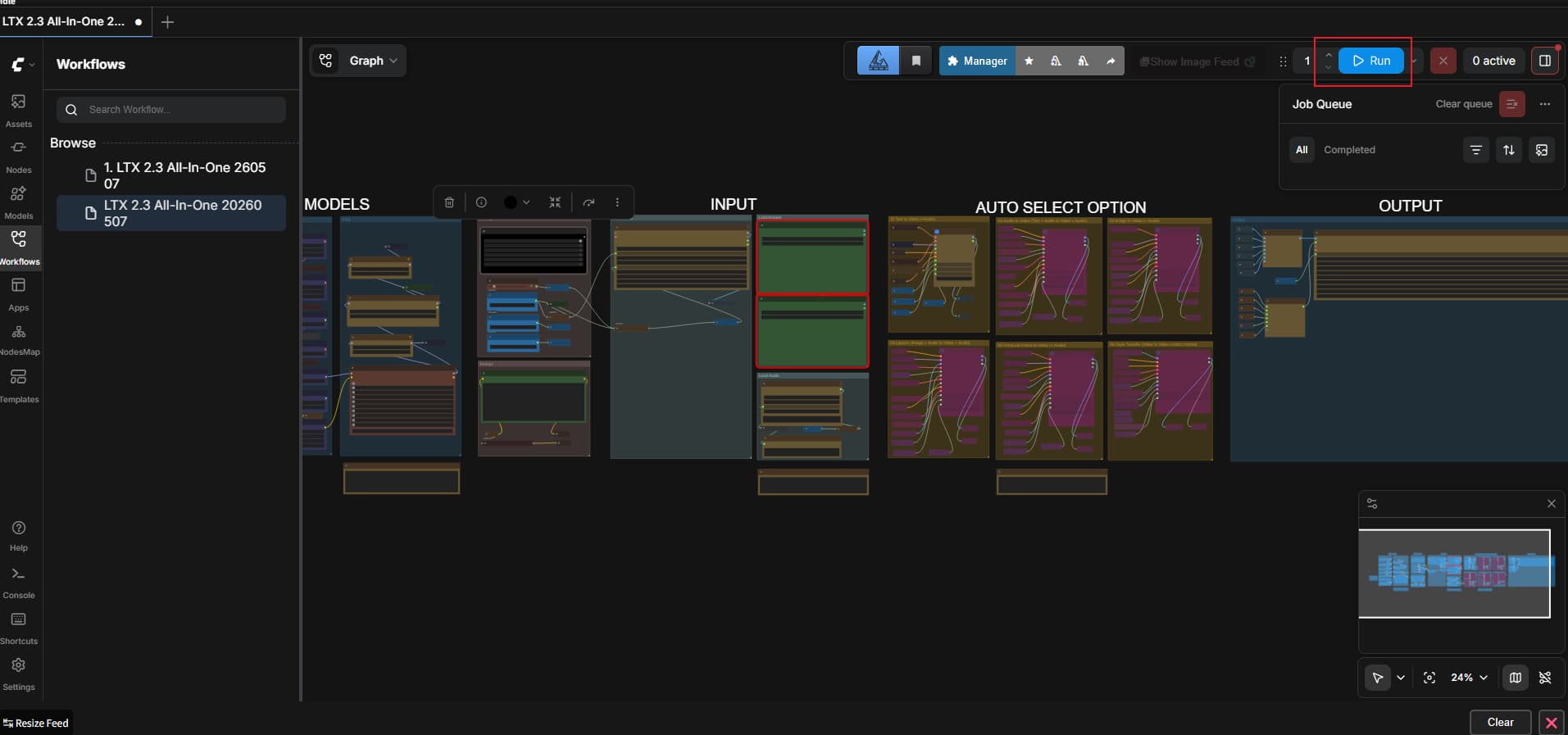
Click “Run” in the top-right corner to begin generating a sample video.