fashn-vton-1.5
GitHub Repository: fashn-vton-1.5
Hugging Face Model: fashn-vton-1.5
Official Website Introduction: fashn-vton-1-5
Downloading Model Files
Model Directory Structure
/fashnvton1.5/weights
├── dwpose
│ ├── dw-ll_ucoco_384.onnx
│ └── yolox_l.onnx
│ ├── README.md
│ ├── config.json
│ ├── model.safetensors
│ └── preprocessor_config.json
Instructions
Click the blue text links above to download the files.
Create a dwpose folder and place dw-ll_ucoco_384.onnx and yolox_l.onnx inside it.
Create a fashn-human-parser folder and place README.md, config.json, model.safetensors, and preprocessor_config.json inside it.
Create a weights folder, place the model.safetensors file inside it, and then move both the dwpose and fashn-human-parser folders into this weights folder.
# Download the Archive
This archive, fashnvton1.5, comes pre-configured with the necessary Python environment and corresponding dependencies.
Download Link: fashnvton1.5
If you wish to mirror the files to your own storage or increase your download speed, you can register via my referral link: pcloud
After extracting the archive, move the relevant model files to the designated directory—for example, the weights folder.
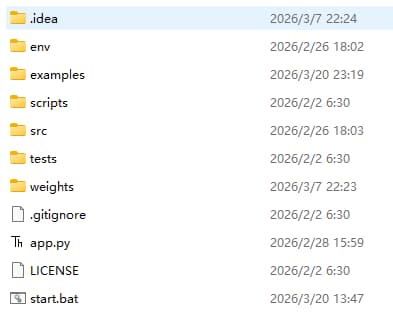
Next, double-click start.bat to launch the application with a single click.
You will see the terminal window open as the application starts up.
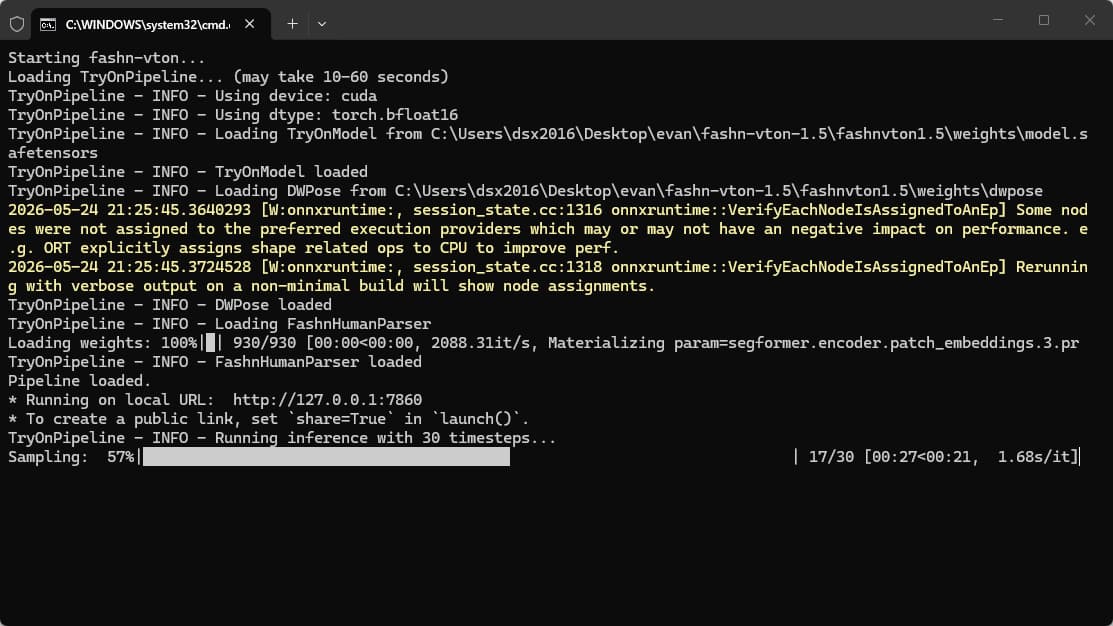
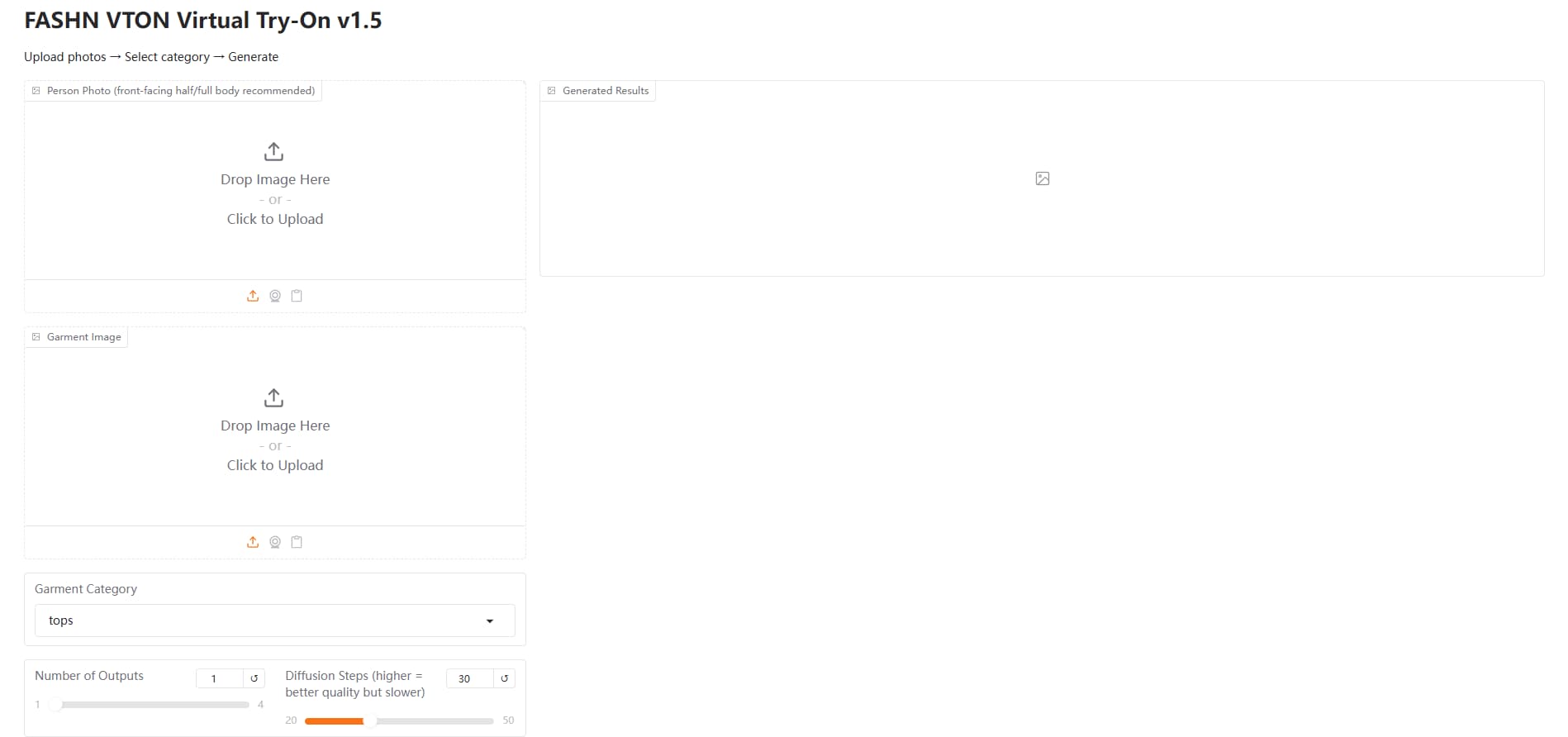
Once the application has successfully launched, open the provided URL in your web browser. http://127.0.0.1:7860/
You should see the initial interface.
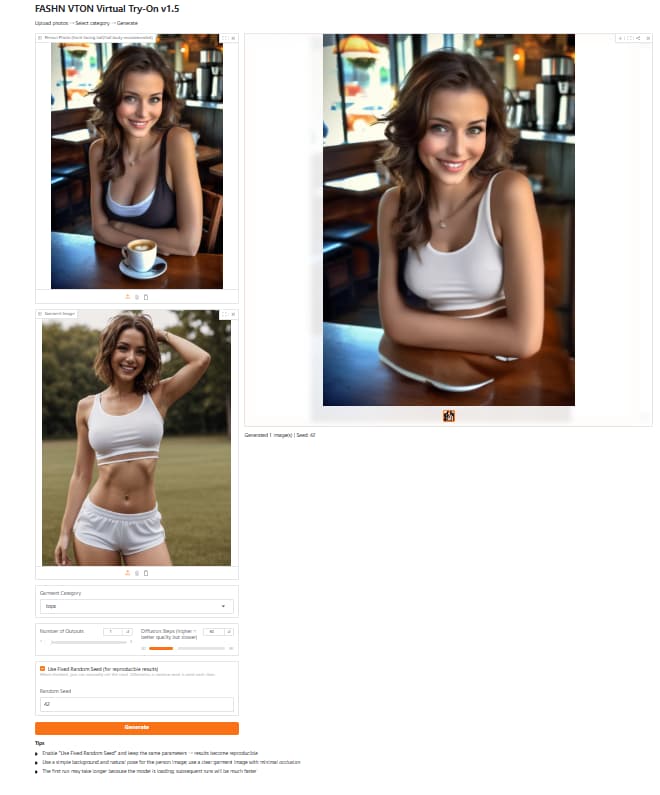
Select an image from the examples folder to serve as the sample photo, then click “Start.”
After waiting a short while, you will observe that the outfit worn by the girl in the top-left corner has been replaced by the outfit worn by the girl in the bottom-left corner.
You can choose to perform a virtual try-on for the upper body, lower body, or the entire outfit.
The input image can be a standalone picture of clothing or a photo of another person; the system will automatically process and interpret it.
Note
My system configuration features an RTX 3060 graphics card with 12GB of VRAM.