ESPHome Installation
First, Home Assistant allows ESPHome to be installed as an add-on.
However, if your Home Assistant setup has poor performance, like my Orange Pi 3B 2GB, then compiling firmware will either be extremely slow or the compiler will crash, preventing proper firmware compilation.
So, previously, I would use Docker to install ESPHome, then compile the ESPHome firmware on a more powerful host PC, and finally upload the firmware to the ESP32.
However, I recently discovered that my computer has virtualization issues, preventing me from using WSL2 Ubuntu Server or Docker Desktop properly. So, I’m too lazy to bother with Docker.
Instead, I’ve switched to using Python to install ESPHome, and then compiling the firmware using ESPHome commands.
Installing ESPHome
Execute the command:
python install esphomeAdding secrets.yaml
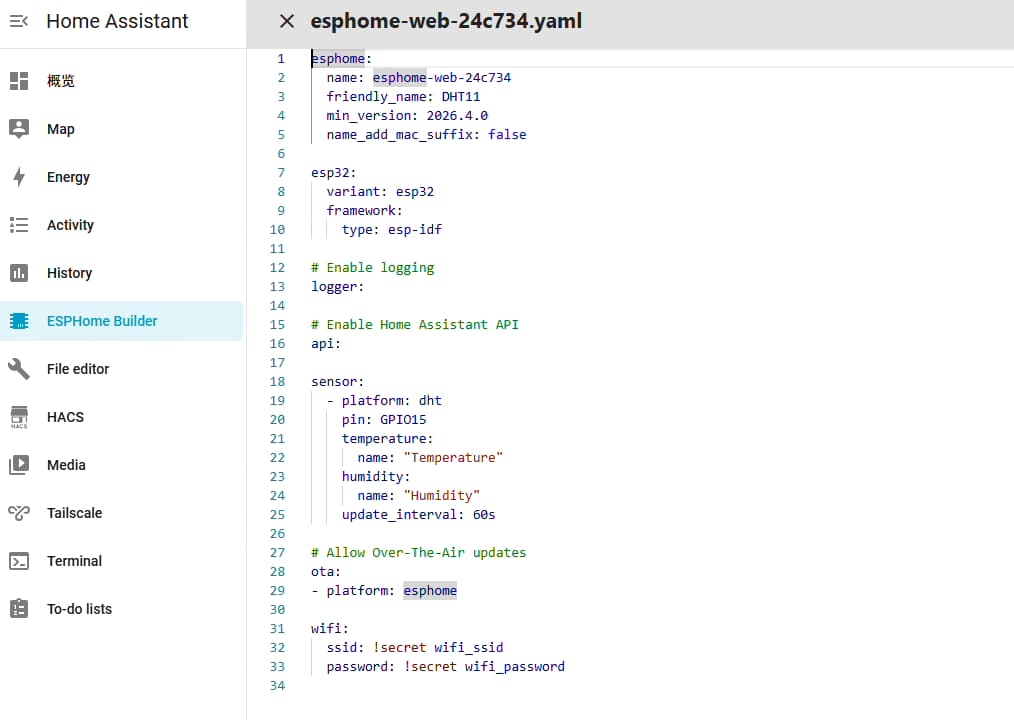
The secrets.yaml file is used for configurations within your firmware YAML file.
Its content is:
# Your Wi-Fi SSID and password
wifi_ssid: "wifi_name"
wifi_password: "wifi_password"
Place secrets.yaml in the root directory of your current Python project.
Firmware YAML
Create your YAML configuration on the ESPHome page.
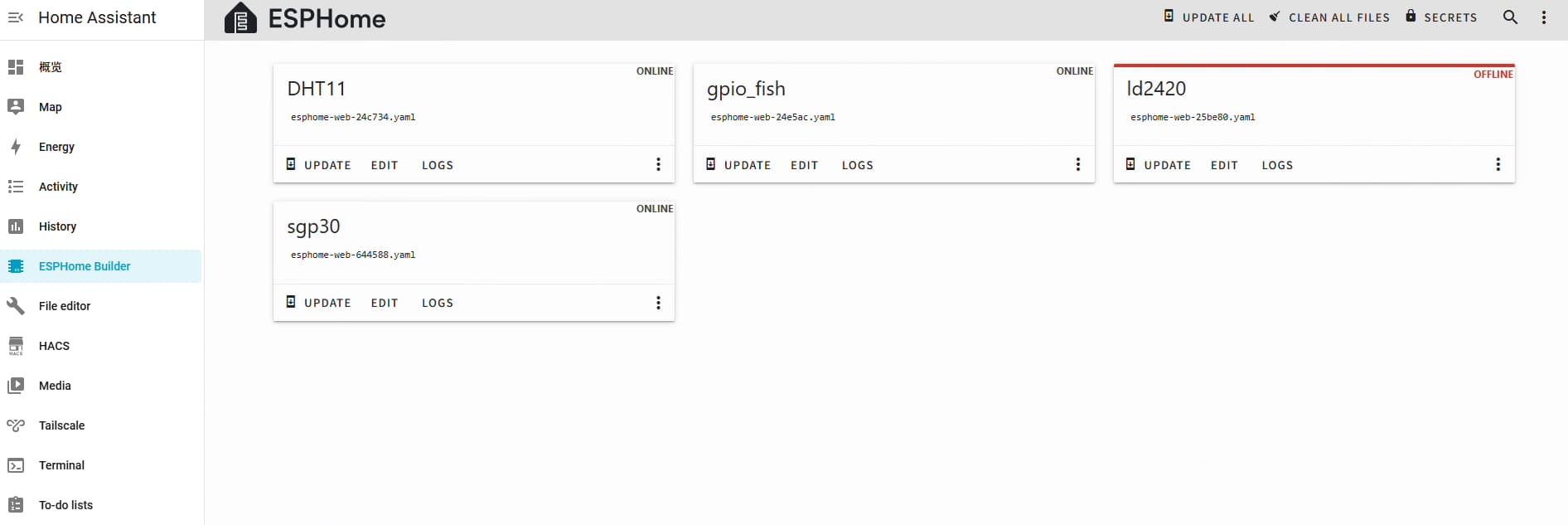
Download the corresponding YAML file, for example, dht11.
Execute the compilation command:
gpoi_fish.yaml is the firmware configuration file to be compiled.
esphome compile .\gpoi_fish.yaml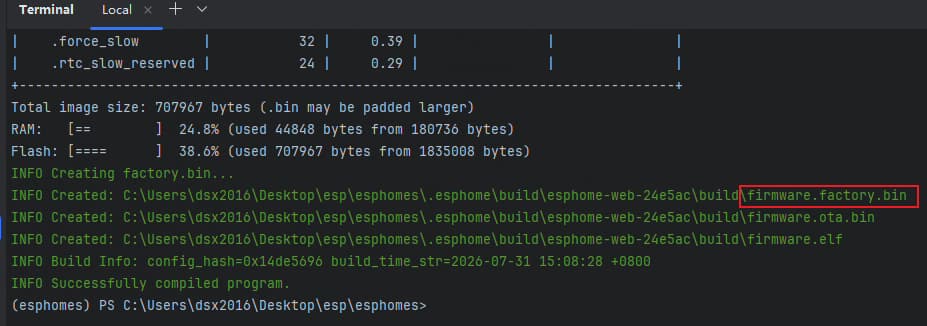
Flashing Firmware
Open the website esphome.io
Click “Connect” and select your ESP32 or other device.
Flash the firmware, selecting the previously compiled firmware.factory.bin.
After successful flashing, Home Assistant’s “Settings > Devices” will recognize this device, allowing you to add it to HA.
Tips
Previously, when using ESPHome:
- Either flash an entire Home Assistant image onto a Raspberry Pi and compile ESPHome there (it’s slow, but barely acceptable).
- Or deploy ESPHome with Docker on a Linux server, then proxy ESPHome to the public network for use (this is quite troublesome).
Now, directly installing with Python on a powerful host machine, then compiling firmware via command and flashing it to the hardware, is relatively convenient. The firmware can also be saved for future restoration.