Bitcoin
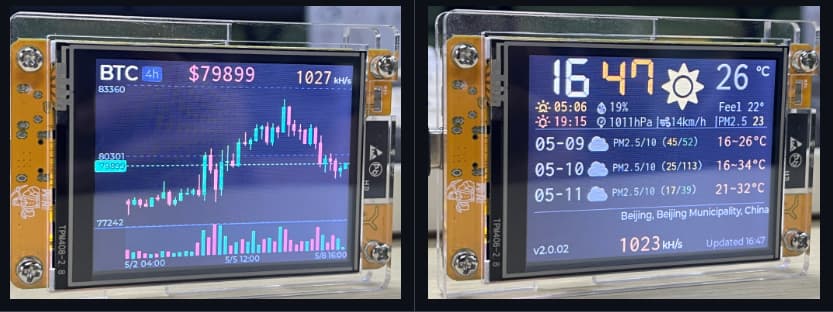
An interesting application for the CYD ESP32
You can flash it with Bitcoin mining firmware, giving it a slim chance of discovering blocks or connecting to nodes.
According to ChatGPT, don’t expect to actually hit the jackpot; this is merely a recreational novelty. The probability of successfully mining a block is roughly one in several hundred trillion—effectively zero.
However, it serves as a decent tool for learning about Bitcoin, and it makes for a nice desktop ornament.
Ideal for:
Learning the Stratum protocol
Learning about SHA256
Understanding how mining pools work
Learning about the ESP32 microcontroller
A DIY desktop gadget project
Project Repository: NMMiner
Other Notes
I noticed that using this project requires registration and the generation of certain credentials.
That feels a bit too complicated for my taste, so I couldn’t be bothered to tinker with it—I’m not particularly interested anyway.
I’m simply documenting these CYD ESP32 projects here so that, should I ever have a need for them in the future, I can quickly locate this information and give them a try.
Learning Value
The realistic value of this project is educational rather than financial. A small ESP32 board cannot compete with dedicated ASIC mining hardware, but it can still demonstrate the basic ideas behind proof-of-work mining.
For a hardware learning project, this is useful because the device has a screen, Wi-Fi, and enough computing capability to run a small demonstration. It can show status information on the display and help connect abstract Bitcoin concepts to a physical device.
Practical Cautions
Before trying the project, I would check the firmware source, required credentials, network settings, and whether the device needs to connect to a third-party service. I would also avoid entering sensitive account information unless the project is clearly trustworthy.
The project is best treated as a desktop gadget and a learning reference. If I revisit it later, the next useful step would be to document the flashing process, display output, Wi-Fi setup, and any problems encountered during installation.