Why I Created This Blog
There are many reasons for this.
As I mentioned previously, a blog can serve as a textual companion to your YouTube videos—essentially acting as a written transcript or presentation script.
It can also function as an extension of your video content, facilitating use cases such as allowing users to easily copy code snippets or download images.
Another core function is to drive external traffic to your YouTube videos via search engines.
This includes traffic from search engines like Google, as well as from social platforms such as X (formerly Twitter), Facebook, or Reddit.
Hosting your own independent static blog offers a greater degree of creative freedom. While you may not see much traffic from search engines in the initial stages—it typically takes about three to six months to start generating some traction—
that shouldn’t stop you from laying the groundwork right from the start. After all, if a particular blog post happens to go viral, the embedded YouTube video links within that post could potentially receive a corresponding boost in traffic.
For this installment, I plan to conduct a test by embedding a YouTube video to see exactly how this process works and what settings are required within the Astro framework.
Testing YouTube Video
Here are the details:
Within the blog folder of my Astro project, I added a subdirectory named youtube, which allows for proper categorization.
Next, to embed YouTube videos using an iframe, I created a component file—youtubeVideo.astro—inside the components folder, encapsulating the HTML structure using a div and an iframe.
Finally, I changed the file extension of my second blog post from .md to .mdx; this is necessary to enable the use of components, where the component’s parameter is the YouTube video ID.
---
const { id } = Astro.props;
---

<div>
  <iframe
    width="560"
    height="315"
    src={`https://www.youtube.com/embed/${id}`}
    title="YouTube video player"
    frameborder="0"
    allow="accelerometer;
    autoplay;
    clipboard-write;
    encrypted-media;
    gyroscope;
    picture-in-picture;
    web-share"
    referrerpolicy="strict-origin-when-cross-origin"
    allowfullscreen>
  </iframe>
</div>
The embedded video is below.
Current Progress
Here is a rundown of what I have been working on recently—specifically, what I accomplished today:
First, I set up my static blog using Cloudflare Pages and Astro (hosted on GitHub). This blog is primarily dedicated to documenting content related to YouTube.
Second, I configured a custom domain—blog.smallzhiyuns.com—to map to this blog. This makes it easier for Google Search to index the site in the future, thereby helping to generate some web traffic.
Third, I added the HTML verification file required by Google Search Console to my Astro blog and submitted it for verification. I also integrated the Umami analytics script to track the blog’s traffic.
Fourth, within this specific article, I implemented code syntax highlighting and enabled embedded YouTube video playback (by encapsulating the functionality into a reusable component).
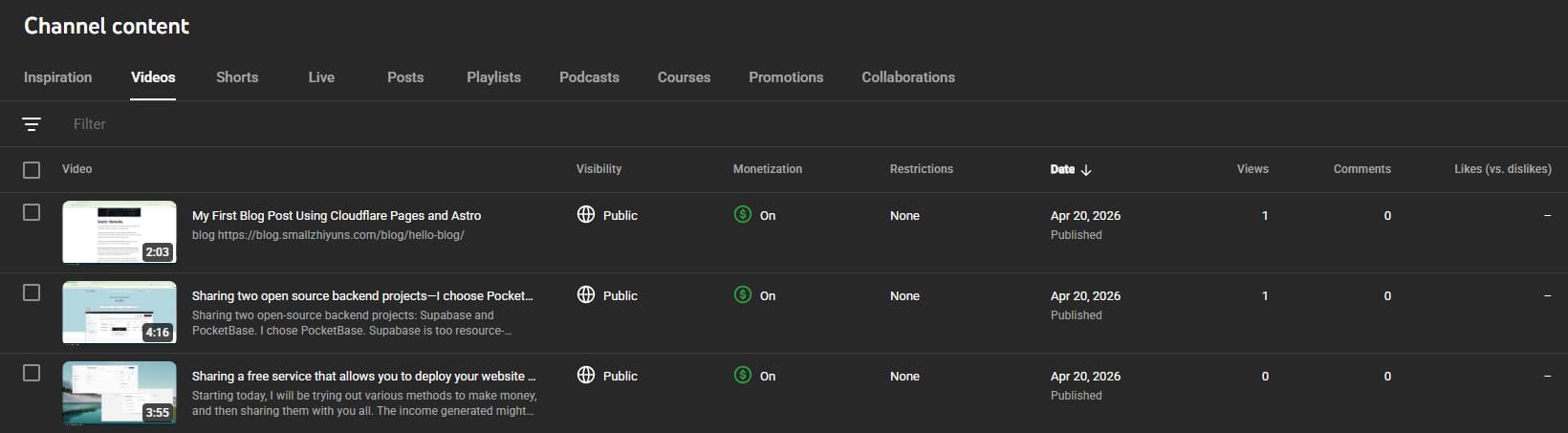
As of today, I have published several YouTube videos; however, they haven’t received any recommendations or traffic yet—essentially sitting at zero views, save for the times I watch them myself.