If I Were to Start Over
It has been over 10 days since I set up this Astro-based blog site.
If I were to do it all again, here is how I would proceed:
-
Use the Astro framework to build a static blog and deploy it to Cloudflare Pages (rather than Workers—since, for the time being, I don’t require features like user logins or comment sections). What I need is an exceptional web experience and the capacity to handle a substantial volume of visitors—all while remaining free of charge. (Cloudflare Workers offers a free tier limited to roughly 10,000 requests per day, whereas Cloudflare Pages offers an unlimited free tier, capable of handling traffic volumes of 100,000, 1 million, or more daily visits.)
-
Immediately submit the website to Google Search Console (formerly Google Webmaster Tools) for verification. Subsequently, submit the site’s sitemap as well as individual page URLs. (If time permits, you can casually submit the site to Bing Webmaster Tools as well, but do not waste an excessive amount of time on it.)
-
Integrate Google Analytics. (Google Search Console only tracks data regarding search engine impressions and clicks; however, for detailed metrics—such as traffic sources from social media or direct visits—you require a specialized service like Google Analytics, which serves to effectively complement and enrich the data provided by Google Search Console.)
-
With every content update, make it a habit to update the sitemap in Google Search Console and manually submit the specific updated page URLs. (Regarding Bing—including its URL submission tools, IndexNow submissions, and sitemaps—treat these as purely optional, casual tasks; you can safely choose to ignore them entirely. Prioritize everything related to Google above all else.)
-
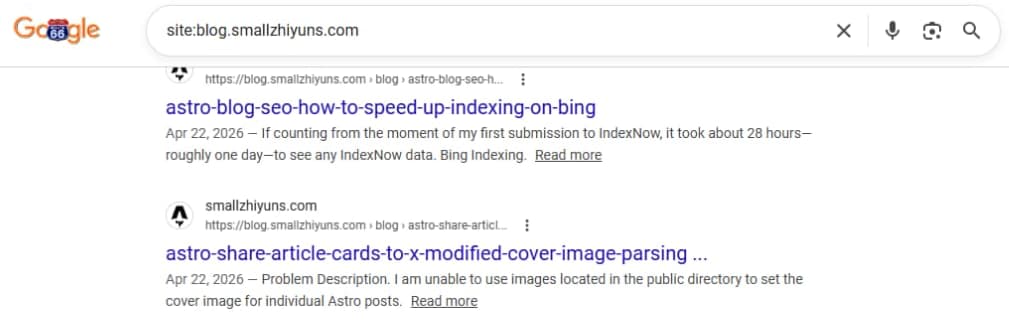
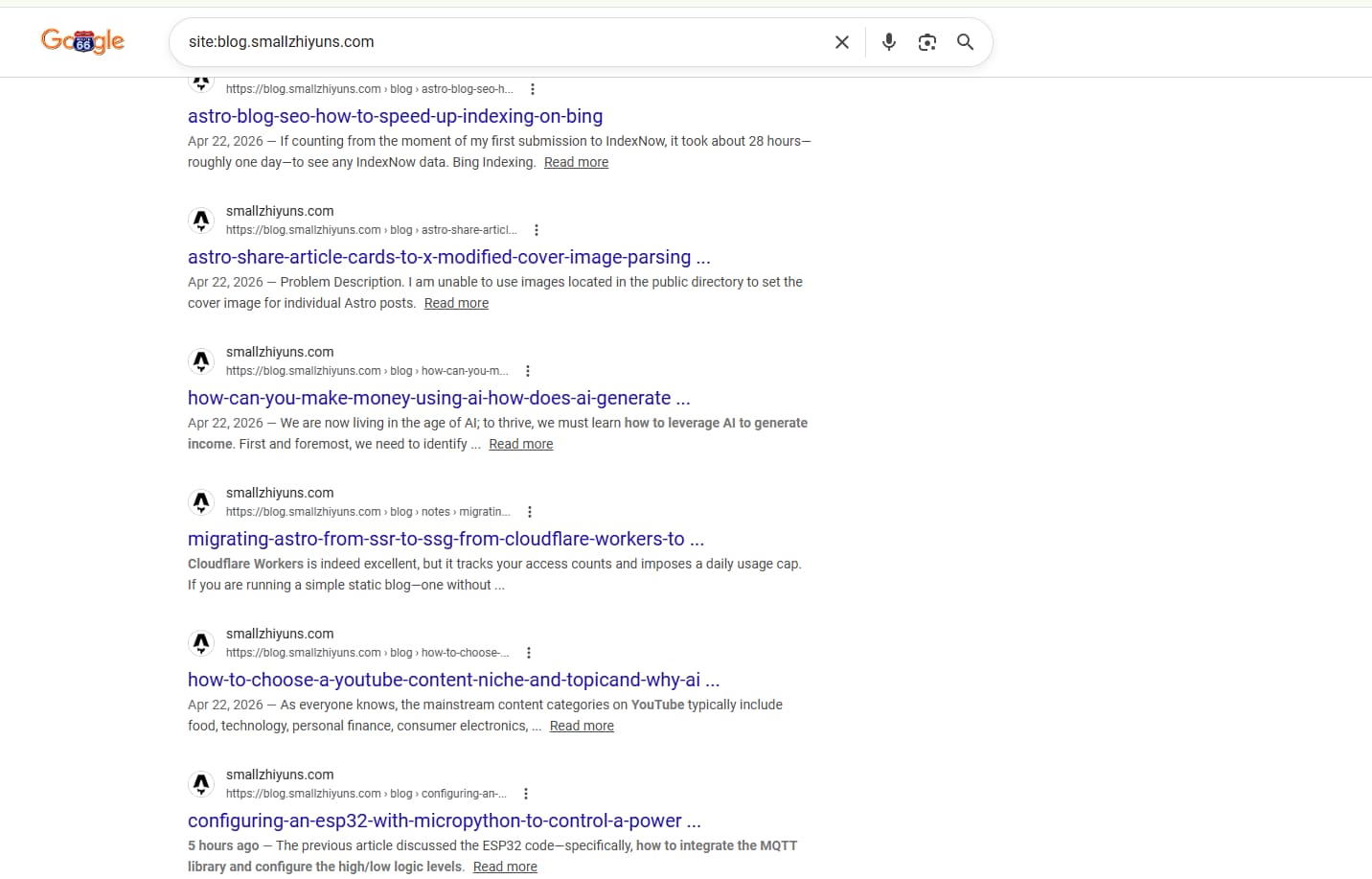
Regularly monitor the data within Google Search Console and Google Analytics. Additionally, perform checks using search engine operators (such as
site:domain.com) to verify the actual indexing status of your web pages and articles.
In Summary:
Essentially, Bing has been much slower in my experience; do not spend all your time on it. Prioritize your efforts on Google SEO, and handle Bing as a secondary channel when you have spare time.
It is absolutely critical to verify your site with Google Search Console and integrate Google Analytics right from the very beginning. (This constitutes the fundamental prerequisite for achieving rapid indexing by search engines and serves as the foundational starting point for all your data collection.)
Finally, ensure you submit your sitemap. Most importantly—and this is a detail often overlooked because the interface is somewhat buried—you must manually submit individual URLs within Google Search Console yourself. This step is absolutely crucial.
Manually Submitting URLs to Google
Initially, I wasn’t aware that Google Search Console allowed for the submission of individual URLs; I only knew about submitting sitemaps.
As a result—even after 10 days—Google had only indexed my homepage and a single article. Bing still had not indexed anything at all.
However, this morning—acting on a tip from an AI assistant—I entered a specific URL into the search bar at the top of Google Search Console, and proceeded to test and submit it for indexing.
By noon today, I noticed a significant improvement: the number of indexed articles had jumped from just one to approximately ten. (Had it not been for the daily limit—which restricts individual URL submissions to around 10 per day—I estimate that over 20 of my website’s articles would likely be indexed by now.)
This clearly demonstrates that, no matter how many times I submit my sitemap, Google Search Console doesn’t do a particularly effective job of indexing my articles automatically. However, when I submit individual URLs one by one…
It takes only about three hours for the submitted URLs to be crawled by Google’s bots and subsequently indexed within the search engine.
This unequivocally tells me that manually submitting URLs via Google Search Console is the single most critical action—the essential step that allows blog posts to get indexed within a mere 24 hours.
In contrast to Google, Bing offers manual URL submission (via a dedicated menu and interface), IndexNow submission (also via a dedicated menu and interface), and sitemap submission (again, via a dedicated menu and interface). However, over these past 10 days, no matter how many times I submitted my content or how carefully I did so, Bing remained unresponsive.
As I’ve mentioned before, it offers neither products like Google Analytics nor an ecosystem comparable to Google Ads. I followed all of its webmaster guidelines to the letter, yet the result was absolutely nothing—zilch.
Google Search Console, on the other hand, was a completely different story. Initially, I simply submitted my sitemap as a casual afterthought; almost immediately, it indexed one of my articles and my homepage. The data in the management dashboard updated in real-time, and Google Analytics provided detailed insights into my website’s performance. What was even more impressive—and the biggest surprise of all—was that after manually submitting a specific URL, it would get indexed within that very same day.
It’s a pity I didn’t realize there was a manual URL submission feature right from the start—what a missed opportunity!
If I had had a mentor guiding me from the beginning, I wouldn’t have wasted 10 days just sitting around waiting. Had an AI not tipped me off, I might have continued waiting foolishly for another month or two—or perhaps even given up on Google Search Console entirely.
That is why I need to summarize my experience right now: to ensure that my future self doesn’t make the same simple mistakes again.
Traffic
In theory, once a search engine has indexed your content, it will inevitably generate some level of traffic—manifesting as impressions and clicks. While the volume might not be massive, there will certainly be some activity.
I spent several hours today fine-tuning the “X” (formerly Twitter) link preview cards for my Astro-based site. I’ve finally got it set up correctly, allowing the system to automatically parse and display the article’s cover image whenever a link is shared on X.
This means that immediately after I finish writing and publishing an article, I can do more than just submit it to Google Search Console; I can also seamlessly cross-post it to social media platforms—specifically X.
This is because X has the potential to drive a certain amount of traffic. Furthermore, Google Search Console and Bing Webmaster Tools tend to prioritize and value backlinks and traffic originating from X—sometimes even more so than the direct organic traffic generated by the search engines themselves.
X can also effectively serve as a comment section for my static blog site. Once I share a blog link, readers can post their comments directly on X, and I can easily reply to them there.
Additionally, X offers paid promotional options. While Google Ads provides a similar service, each platform has its own unique strengths. X’s social media promotion capabilities generate not only direct traffic but also valuable social engagement and exposure, whereas Google’s advertising tends to focus more strictly on driving conversions via landing pages.
In short, if you make a habit of casually sharing your content on X right from day one—the very moment you launch your new blog—you can expect to see excellent traffic results. At the very least, you won’t end up wasting those crucial first ten days.