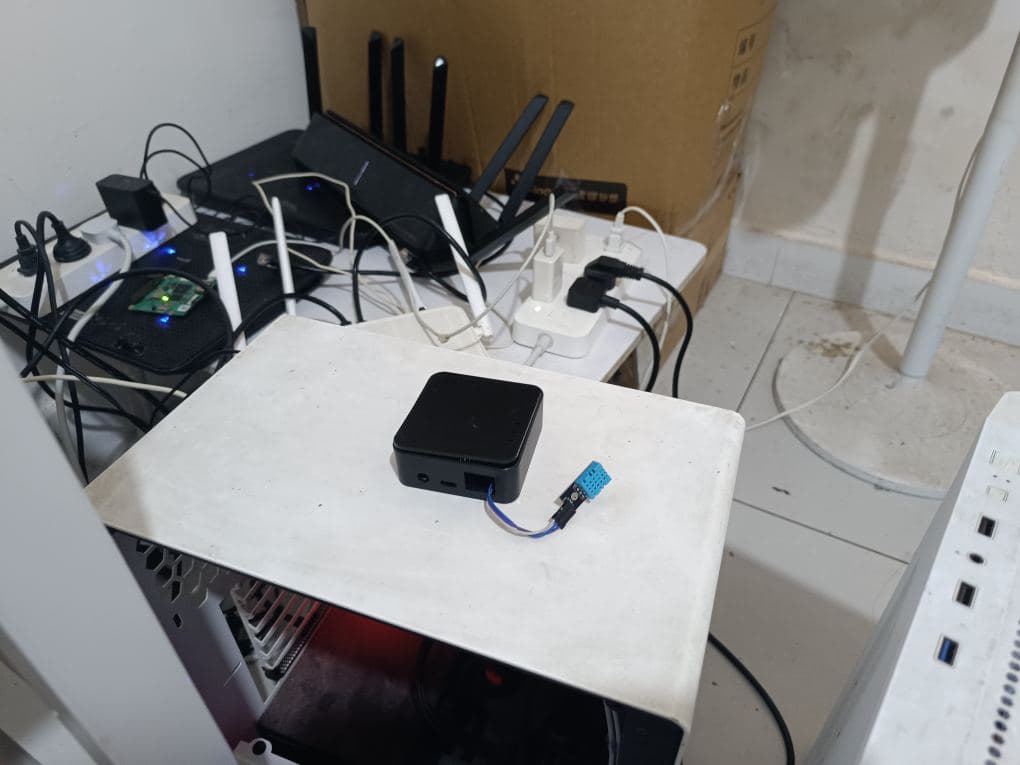
esp32 Enclosure
Here’s my previous setup with esp32 + dht11 (homeassistant + esphome):
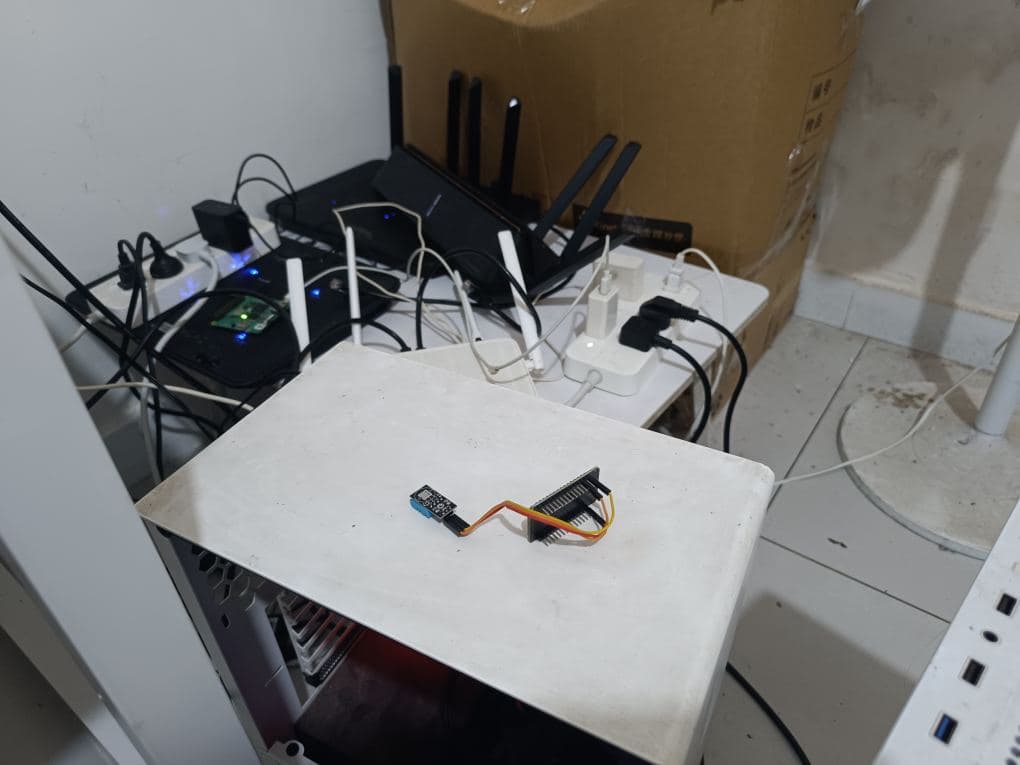
As you can see:
- The esp32 pins are exposed to the air (prone to moisture, water contact, rust, and touching live components).
- The overall arrangement of the dht11 and esp32 is messy, visually unappealing, and prone to accidental disconnections of jumper wires.
I need an enclosure that offers some water resistance, moderate heat dissipation, and a cleaner appearance for the esp32.
My initial thought was to 3D print a custom enclosure.
3D Printed Enclosure
Let’s look at some designs online.
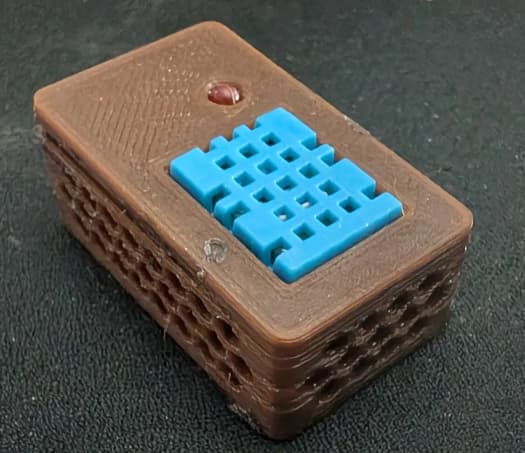
My ideal design is shown below:
An esp32 housed in an enclosure with ventilation holes and a Type-C power port.
The enclosure would have a slot for the dht11 temperature and humidity sensor, allowing it to fit snugly. This would prevent the esp32’s heat from affecting the DHT11’s readings and make the sensor clearly visible.
However, I don’t have a 3D printer. Having a factory print it would be expensive and involve a long lead time, potentially a week to receive a sample.
Most importantly, without the ability to test and iterate quickly, any mistake in the design parameters would result in wasted custom 3D printed enclosures and delays.
Compromise Solution
While 3D printing is a suitable long-term solution, my current need is to simply add a basic enclosure. A perfectly compact design isn’t necessary right now.
Here’s the approach I’m planning to use:
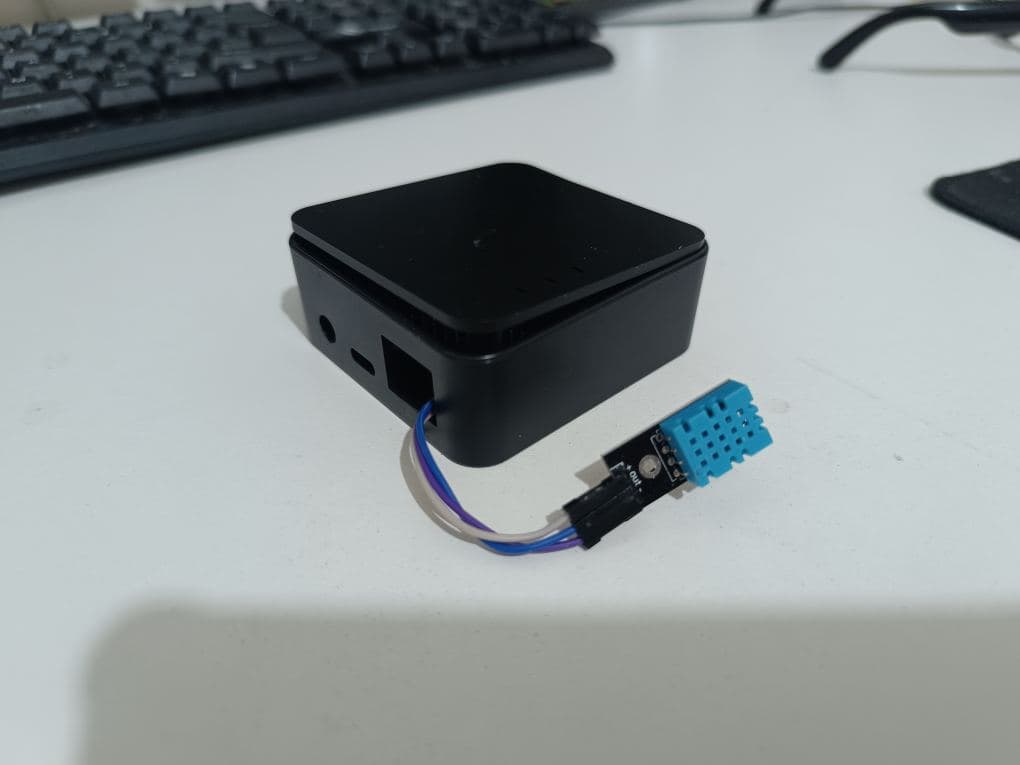
I’ll use a commercially available router gateway enclosure. I’ll place the esp32 inside and route the sensors and jumper wires through the mesh openings.
This will provide simple protection against water and moisture, prevent accidental contact with wires or metallic objects, and offer a relatively neat appearance.
The dht11 sensor can be secured in place with electrical tape. This will prevent it from shifting and causing jumper wire disconnections due to movement.
Tips
The cost of this enclosure is $1.5 USD.
This means you could purchase 4 of these boxes for everyday use in areas like the living room, kitchen, bedroom, or bathroom, providing basic temperature and humidity monitoring for each room.
If more coverage is needed, you could buy 10 units for redundancy and expansion to other rooms (e.g., a three-bedroom, two-living room apartment), costing around $15 USD. These could operate reliably for years without much attention.
Additionally, one esp32 has two GND pins, theoretically allowing for the connection of two sensors. You could start by testing with one dht11 and later, once familiar, add an SGP30 air quality sensor.
This setup would allow each room to collect temperature, humidity, and air quality data. There are no specific placement requirements; simply placing them in a corner would suffice, integrated with Home Assistant and ESPHome.