First, Check Out the Result
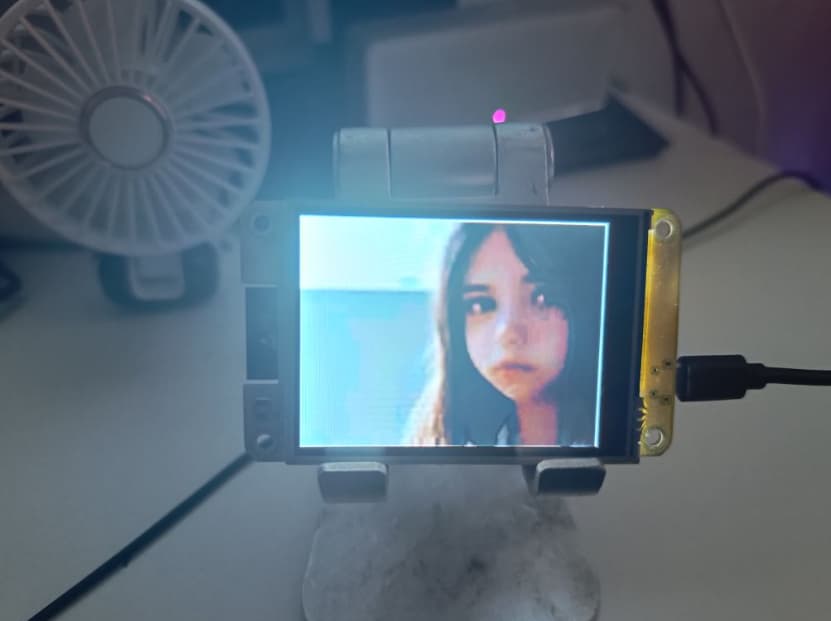
The images were generated using the Stable Diffusion WebUI (320 x 240 pixels).
The images were then compressed and cropped to 100 x 75 pixels, and the format was converted from JPG to PNG.
The PNG images were uploaded to an ESP32 device using the Python ampy library.
Finally, MicroPython and LVGL were used to render the images and scale them to fill the entire screen.
In this way, a static photo album effect was successfully implemented.
Code Demonstration
Code
import lvgl as lv
import time
from espidf import VSPI_HOST,HSPI_HOST
from ili9XXX import ili9341
from machine import Pin, I2C
import fs_driver

import time,ntptime,network
from machine import Timer,Pin

import uasyncio as asyncio

import json


label_ytfans = None
label_ytfans_num = None


# -------------------------------start------------------------
def init_scrren():
    global label_ytfans
    global label_ytfans_num


    WIDTH = 320
    HEIGHT = 240


    disp = ili9341(miso=12, mosi=13, clk=14, cs=15, dc=2, rst=12, power=-1, backlight=21, backlight_on=1, power_on=1, rot=0x20,
             spihost=HSPI_HOST, mhz=60, factor=16, hybrid=True, width=WIDTH, height=HEIGHT,
             invert=False, double_buffer=False, half_duplex=False, initialize=True)
    #                 inv_x=False, inv_y=False, swap_xy=False)

    scr = lv.obj()
    scr = lv.scr_act()
    scr.clean()
    fs_drv = lv.fs_drv_t()
    fs_driver.fs_register(fs_drv, 'S')


#     img = lv.img(scr)
#     img.set_src("S:test001.png")
#     img.center()


    try:
        with open('test001.png','rb') as f:
            png_data = f.read()
    except:
        print("Could not find test.png")
        sys.exit()

    png_argb = lv.img_dsc_t({
      'data_size': len(png_data),
      'data': png_data
    })

    png_img = lv.img(lv.scr_act())
    png_img.set_src(png_argb)
#     png_img.set_size(320, 240)
#     png_img.set_zoom(768)

    zoom = int(3.2 * 256)  # 819
    png_img.set_zoom(zoom)
    png_img.center()


init_scrren()
Some Issues
I tested the official image conversion tool.
I converted images into .bin, .c, and .sjpg formats—none of them displayed correctly. This included standard .jpg files; all that appeared was a black square.
According to ChatGPT, this issue stems from the fact that the JPEG decoder was not enabled in my firmware. Enabling it would require recompiling the firmware from scratch, so I was left with no choice but to use PNGs instead.
The first drawback of this approach is that PNG files are generally larger in size than JPEGs.
The second drawback is that whenever a PNG image exceeds dimensions of 100x75 pixels and a file size of 30KB, the ESP32-CYD board throws a “low memory” error. Consequently, I am unable to display these PNGs in full-screen mode; instead, they are displayed with a “static photo album” effect.
Therefore, I had to resort to scaling the images to achieve a full-screen appearance. The downside to this method is that the images appear somewhat blurry, though the quality is just barely sufficient for my needs.
Photo Album Effects
You can display various images, such as photos of kittens, family members, or anime/manga artwork.
You can also display your daily to-do list or other checklists.
Alternatively, you can use landscape photos to help set the mood or atmosphere.