Video Demonstration
Project Introduction
Project Name: rembg
Project GitHub Repository: https://github.com/danielgatis/rembg
This project is a tool designed for removing backgrounds from images; it supports processing via both CPU and GPU.
It supports usage via the Command Line Interface (CLI), HTTP requests, and Docker deployment.
See the image below for a demonstration of the actual results:

Prerequisites
The “AI Starter Pack” (or “Lazy Pack”) provided in this article is designed for users who lack programming knowledge but wish to utilize AI capabilities locally on their own computers.
When using this comprehensive AI package, there is no need to install Python on your computer, install any project-specific dependencies, or write any code to create a user interface for image processing.
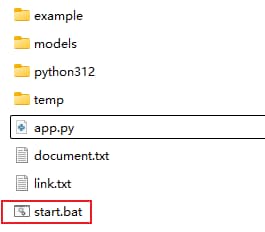
Simply double-click the start.bat file to begin using the AI tool locally.
Note:
Upon first use, the application will check if the necessary AI model files exist locally. If they are missing, it will automatically connect to the internet to download the corresponding AI models.
For subsequent uses, the application will prioritize using the AI models already downloaded to your local machine. This ensures that you can continue to use the AI tool locally—even without an internet connection—without incurring any costs or raising any privacy concerns.
Usage Instructions
Double-click start.bat.
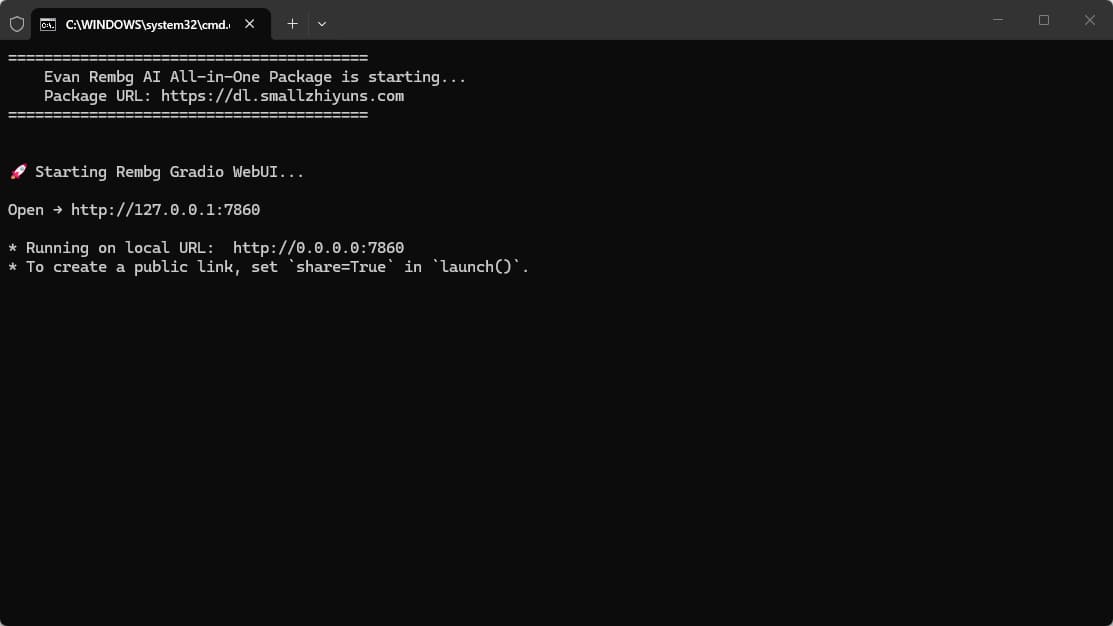
Wait for the terminal to launch.
Once the terminal has launched, wait for the process to complete successfully.
Once the process has completed successfully, access the application via your web browser at: http://localhost:7860/
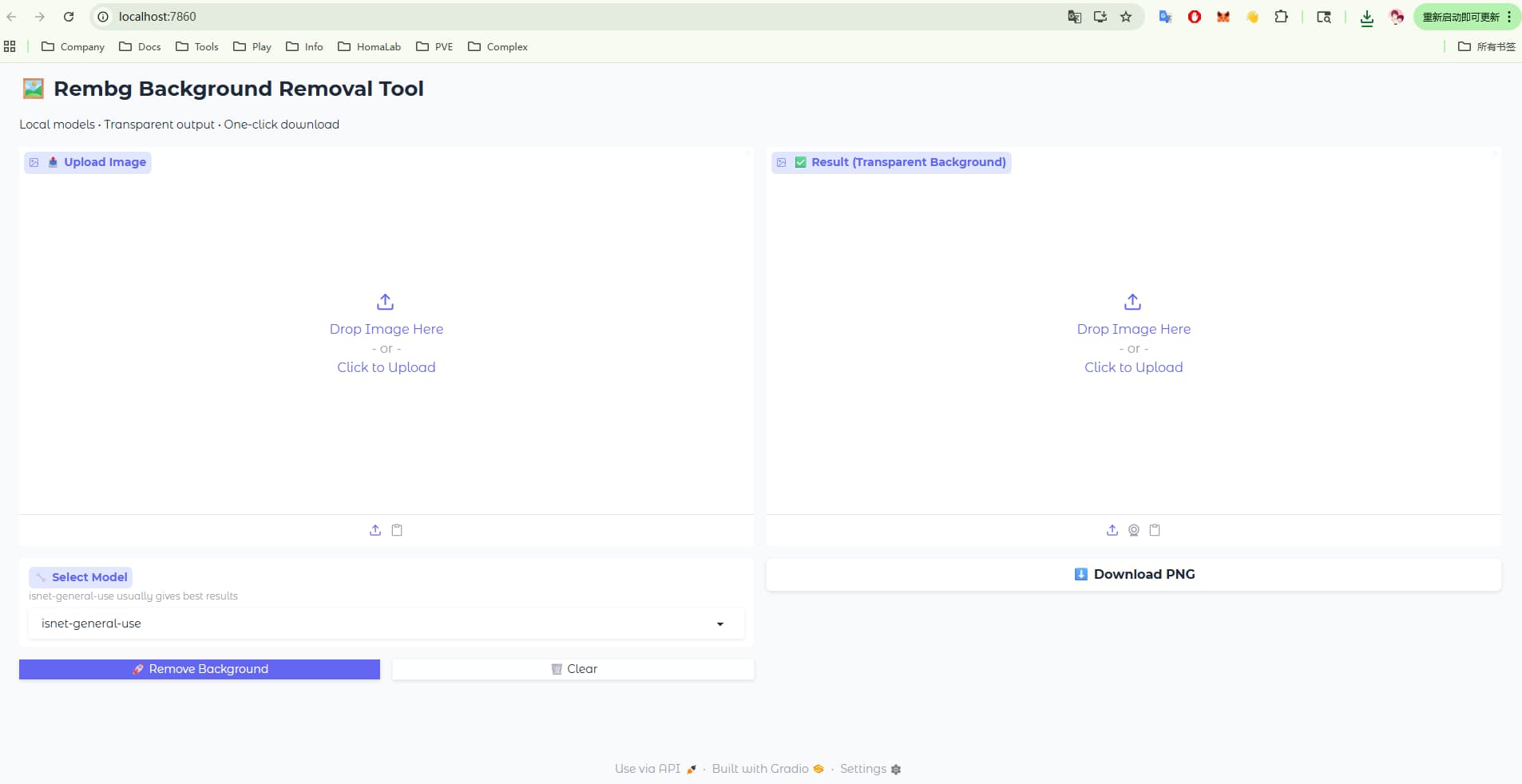
Then, select an image and click the “Remove” button.
When running a different model for the first time, the system will first connect to the internet to download the necessary AI model files before proceeding with execution.
Additional Information
Click here for the Cloud Drive Download.
Simply unzip the downloaded ZIP file to start using the application.